TambiΓ©n disponible en espaΓ±ol
A Real Day in the App

From morning coffee
to last stop paid.

Walk through a full day with Maria - solo house cleaner, multiple clients. Real screens, every tap.

This walkthrough is for
🧹 House Cleaner 🏊 Pool Service 🐾 Mobile Groomer πŸš— Auto Detailer πŸ”§ Handyman Landscaper
πŸ‘€ Maria - solo house cleaner
πŸ“ 3 stops today
πŸ’΅ $75–$155/visit, Venmo, Zelle & cash
β˜€οΈ Morning
8:00 AM
πŸ“‹ Start of day

Check the today's jobs before leaving the house

Maria opens Route Desq. The Today screen shows all her stops for the day - name, address, rate, flags, and notes already there.

Access notes and gate codes are right on the card - no hunting through old texts
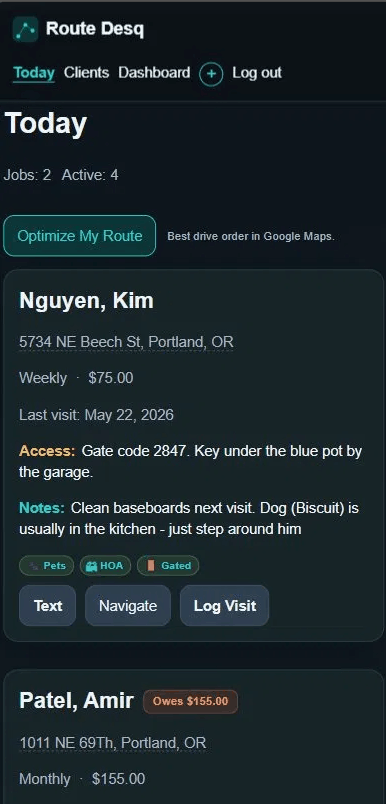
Route Desq Today screen showing three client cards with appointment times, notes, and an Owes badge
8:06 AM
πŸ—ΊοΈ One tap

She taps Optimize My Route and the app figures out the best drive order in seconds.

Route Desq grabs her current location and calculates the most efficient drive order for all her stops. Kim first since she's furthest out, Rosa last since she's closer to home at the end of her day.

No backtracking across town after the last job.

Each card has it's own Navigate button and one tap opens turn-by-turn directions for that stop.
Route Desq Today screen showing optimized route with Route Optimized badge and Kim Nguyen as first stop
8:35 AM
🚐 On the road

Tap Navigate on Kim's card. Turn-by-turn starts immediately.

Right from the Today screen, Maria taps Navigate on Kim's card. Google Maps opens with the address already loaded. No typing, no copy-paste, no switching apps and losing her place.

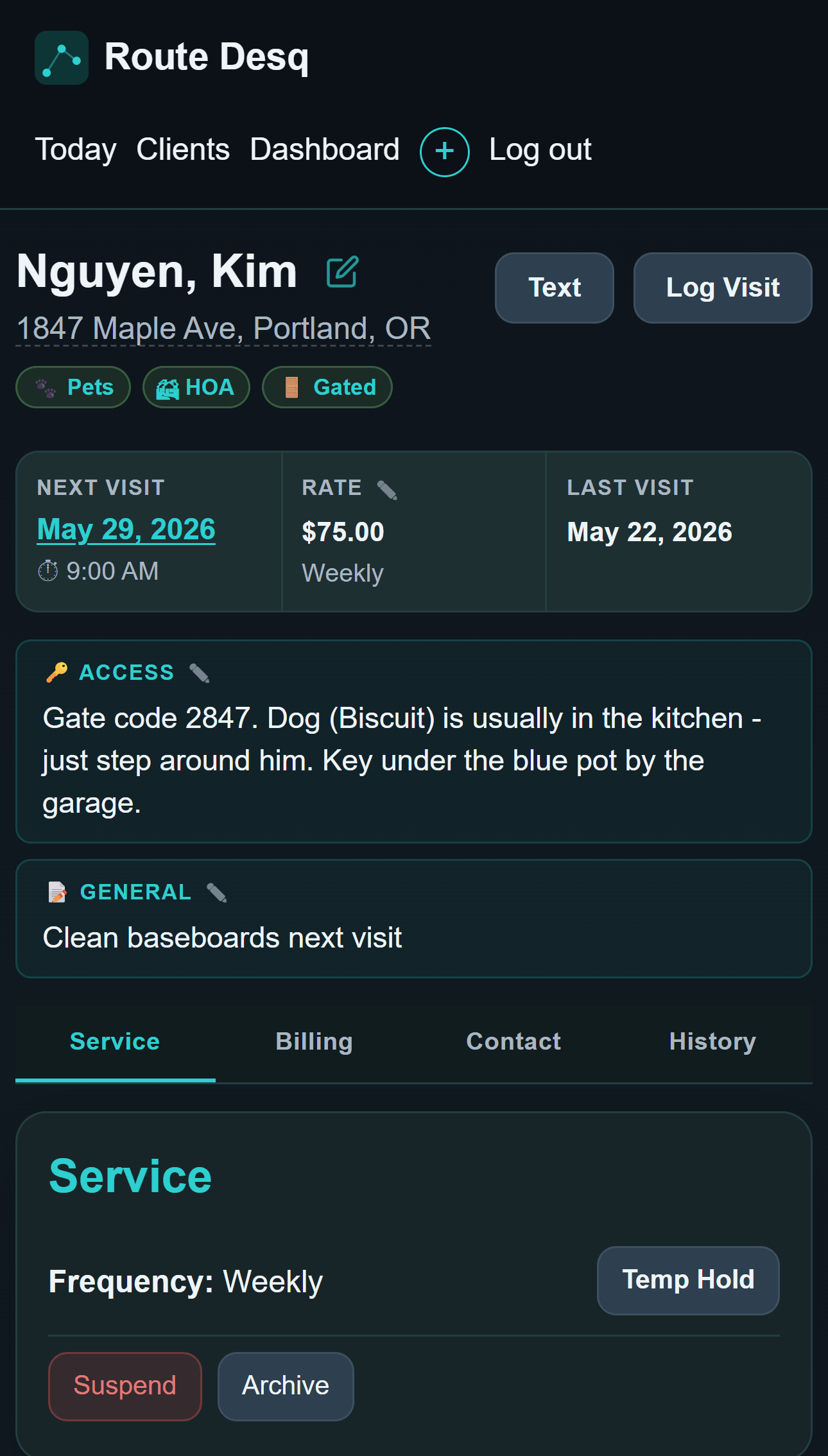
Kim's card shows: Gate code 2847. Dog (Biscuit) is usually in the kitchen - just step around him. Key under the blue pot by the garage.

She already knew this. But she doesn't have to remember it.

8:58 AM
🏠 At the door

Access notes and service details - one tap from the Today card

Maria taps Kim's name to open her full record. The access notes and flags (Pets, HOA, Gated) are front and center. Below that, the at-a-glance strip: next visit, rate, last visit.

The General note says "Clean baseboards next visit" - she added that when Kim texted two weeks ago. It's right here, no scrolling through a text thread.

Route Desq client view showing Kim Nguyen with access notes, flags, and glance strip
11:05 AM
βœ… Done with Kim

Log the visit before leaving the driveway - 20 seconds

She taps Log Visit on Kim's card. Date is pre-filled to today. She bumps the amount to $135 for the baseboard add-on, types a quick note and snaps a photo of the living room. Done before she backs out.

Maria taps Request Payment. Kim always pays via Venmo - the app generates a pre-filled text with the amount and a Venmo pay link. Maria hits send. Kim pays before Maria reaches the end of the block.

Tap β†’ Log Visit β†’ done. The whole workflow is 3 taps.
🌀 Midday
11:30 AM
πŸ†• Second stop

Rosa Delgado - new client, first visit. All her details already in the app.

Maria added Rosa two days ago when Kim referred her - name, address, rate ($75), preferred contact (text), and a note about her cat and eco-friendly products. One tap to navigate from the Today card.

After the clean, Rosa asks about adding the garage next time. Maria opens the notes field, types it in. It'll be there in two weeks. She sends a quick estimate so Rosa has it in writing - two taps.

Rosa pays $75 cash on the spot. Maria logs it. Balance: $0.

πŸŒ‡ Afternoon
4:15 PM
πŸ’³ Last stop

Amir owes $155 from last month. The app already knows.

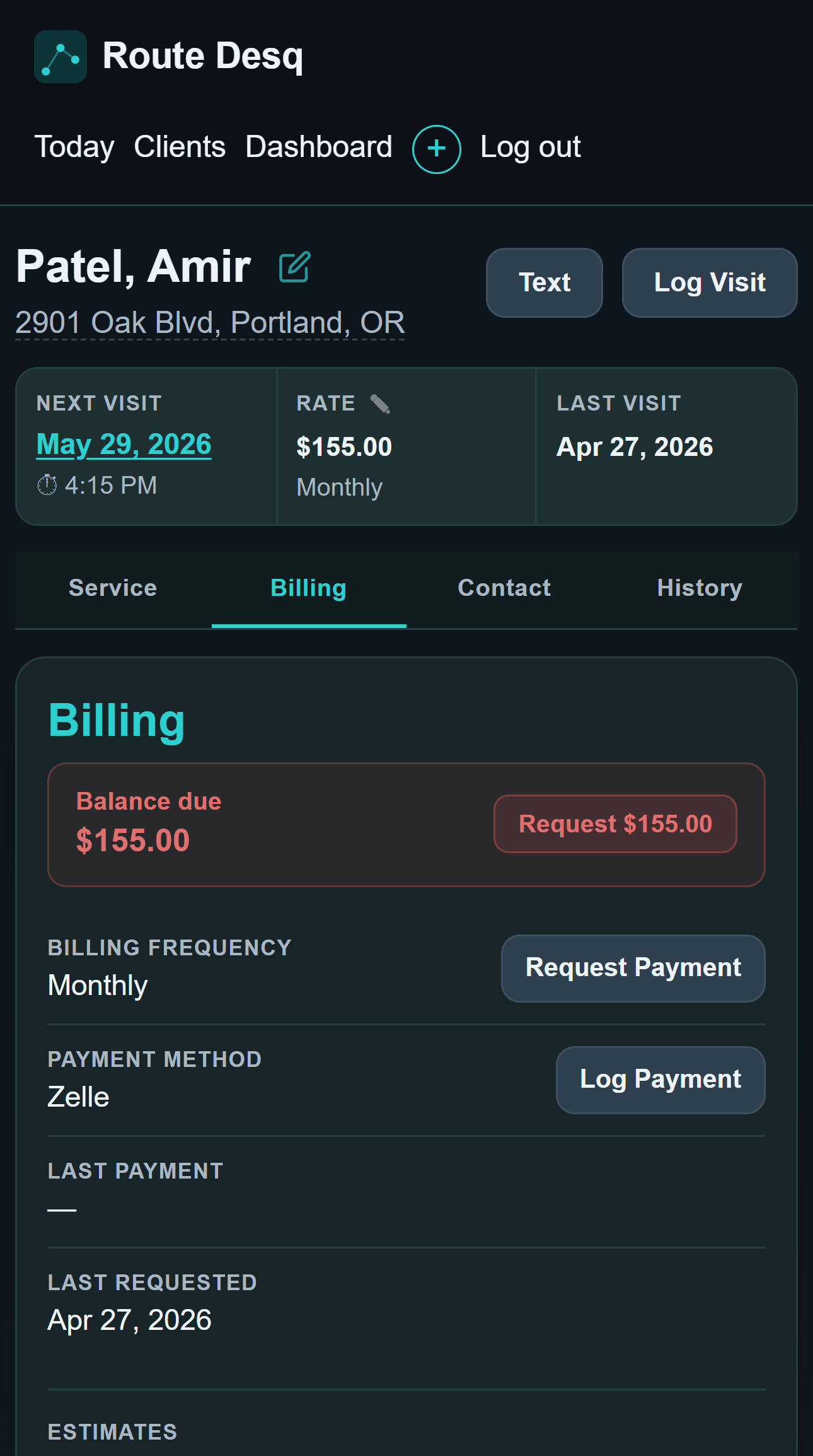
Maria taps into Amir's Billing tab. The red balance strip shows $155.00 - Request $155.00. She taps it. Because Amir's method is Zelle, the app generates a pre-filled Zelle text. She sends it before leaving his driveway.

No awkward "hey did you pay me?" conversation. Just a button.

Route Desq billing tab showing $155 balance due with Request button
πŸŒ™ End of day
4:45 PM
πŸ“Š Wrap-up

Pull into the driveway. Check the Dashboard. Done.

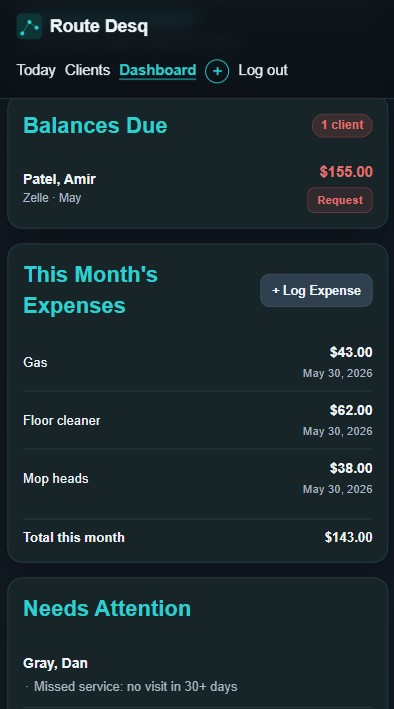
The Dashboard shows who still owes, who needs attention, this month's expenses and what's outstanding - all without opening a spreadsheet or doing math in her head.

Balances Due shows $155 with a one-tap Request button. Needs Attention flags that Dan Gray hasn't had a visit in 30+ days. She already added him to tomorrow's schedule so it'll clear in the morning.

She closes the app. The day is done.

Route Desq dashboard showing balances due, needs attention, and expenses
Your turn

Set up your first client
in under 5 minutes.

30-day free trial. No app store. No credit card. Works on any phone browser right now.

Start Free Trial See the setup guide

$4.99/mo or $39.99/yr after trial · cancel anytime